How can we help?
Welcome to our Support Portal. Search for answers using the search box below.,
Customize Quick Settings
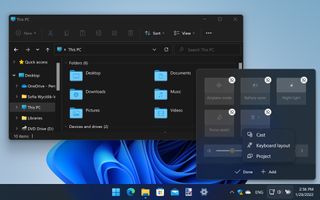
Click the Network/Volume/Power button in the taskbar, and you’ll see Quick Settings which gives easy access to key options and settings. You can remove items you don’t need or add new ones that are missing by clicking the pencil button, then click the ‘unpin’ button next to an unwanted item, or hit Add to choose more.