How can we help?
Welcome to our Support Portal. Search for answers using the search box below.,
Unlink OneDrive from your computer
You won’t lose files or data by unlinking OneDrive from your computer. You can always access your files by signing in to OneDrive.com.
Windows 10/11
- Select the OneDrive cloud in your notification area to show the OneDrive pop-up.

- Select the OneDrive Help and Settings icon then select Settings.
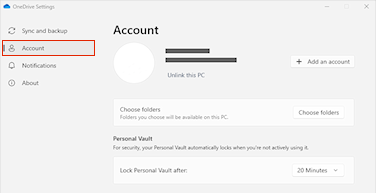
- Go to the Account tab.

- Select Unlink this PC, and then select Unlink account.