How can we help?
Welcome to our Support Portal. Search for answers using the search box below.,
Set DHCP Server Options
DHCP scope options allow you to auto configure additional TCP/IP settings on the client devices.
DHCP options can be configured at two different levels, at the server or per each DHCP scope.
I prefer at each scope, it’s more work but I may have scopes such as guest wifi that I don’t want using the internal DNS. Sometimes VOIP phones need special options to configure and I don’t want that at the server level.
The most common options used are:
003 Router
006 DNS servers
015 DNS Domain Name
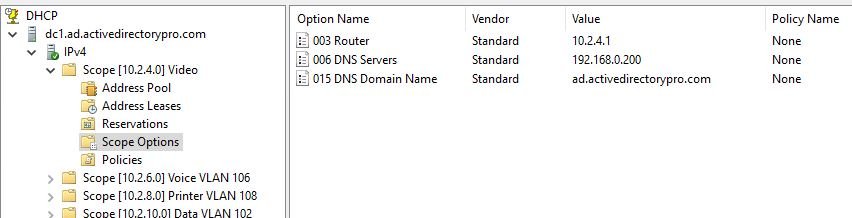
Take advantage of the scope options so you can auto configure the IP settings on all devices.