Network Topologies
What Is Star Topology?
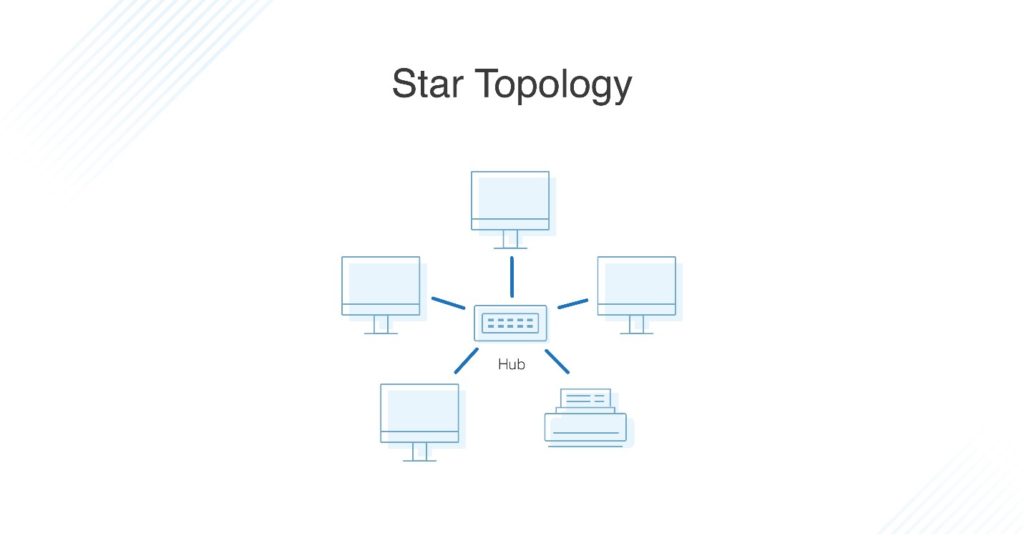
A star topology, the most common network topology, is laid out so every node in the network is directly connected to one central hub via coaxial, twisted-pair, or fiber-optic cable. Acting as a server, this central node manages data transmission—as information sent from any node on the network has to pass through the central one to reach its destination—and functions as a repeater, which helps prevent data loss.
Advantages of Star Topology
Star topologies are common since they allow you to conveniently manage your entire network from a single location. Because each of the nodes is independently connected to the central hub, should one go down, the rest of the network will continue functioning unaffected, making the star topology a stable and secure network layout.
Additionally, devices can be added, removed, and modified without taking the entire network offline.
On the physical side of things, the structure of the star topology uses relatively little cabling to fully connect the network, which allows for both straightforward setup and management over time as the network expands or contracts. The simplicity of the network design makes life easier for administrators, too, because it’s easy to identify where errors or performance issues are occurring.
Disadvantages of Star Topology
On the flipside, if the central hub goes down, the rest of the network can’t function. But if the central hub is properly managed and kept in good health, administrators shouldn’t have too many issues.
The overall bandwidth and performance of the network are also limited by the central node’s configurations and technical specifications, making star topologies expensive to set up and operate.
What Is Bus Topology?
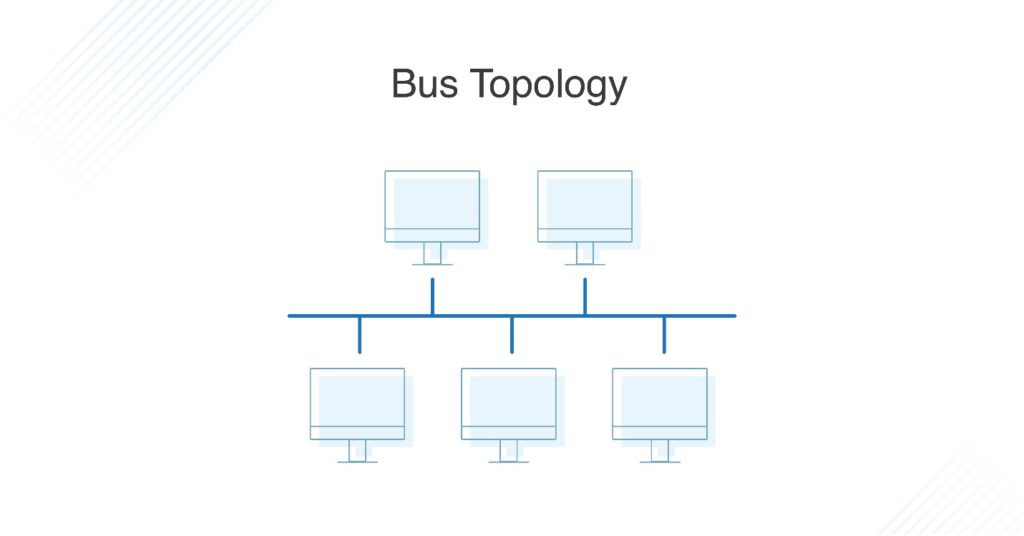
A bus topology orients all the devices on a network along a single cable running in a single direction from one end of the network to the other—which is why it’s sometimes called a “line topology” or “backbone topology.” Data flow on the network also follows the route of the cable, moving in one direction.
Advantages of Bus Topology
Bus topologies are a good, cost-effective choice for smaller networks because the layout is simple, allowing all devices to be connected via a single coaxial or RJ45 cable. If needed, more nodes can be easily added to the network by joining additional cables.
Disadvantages of Bus Topology
However, because bus topologies use a single cable to transmit data, they’re somewhat vulnerable. If the cable experiences a failure, the whole network goes down, which can be time-consuming and expensive to restore, which can be less of an issue with smaller networks.
Bus topologies are best suited for small networks because there’s only so much bandwidth, and every additional node will slow transmission speeds.
Furthermore, data is “half-duplex,” which means it can’t be sent in two opposite directions at the same time, so this layout is not the ideal choice for networks with huge amounts of traffic.
What Is Ring Topology? Single vs. Dual
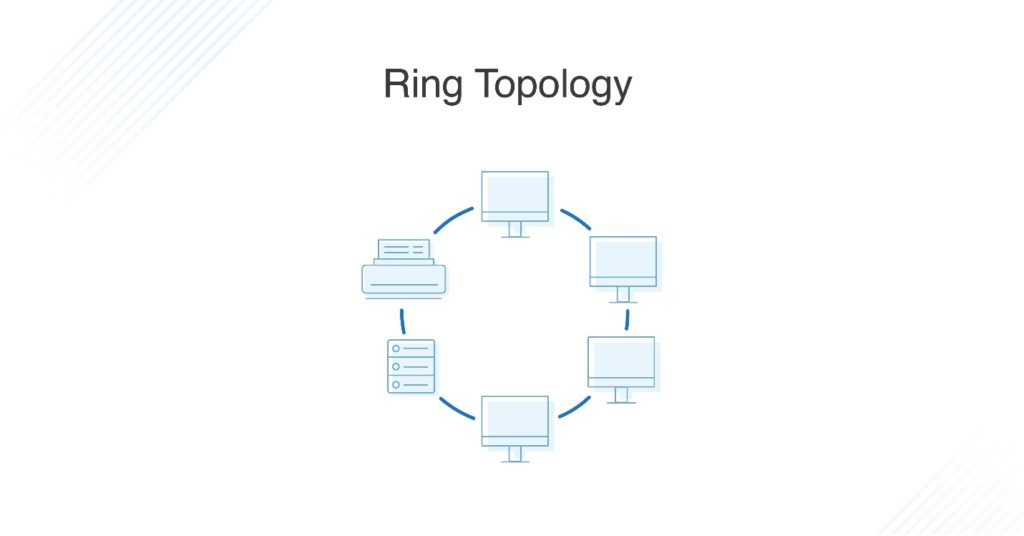
Ring topology is where nodes are arranged in a circle (or ring). The data can travel through the ring network in either one direction or both directions, with each device having exactly two neighbors.
Pros of Ring Topology
Since each device is only connected to the ones on either side, when data is transmitted, the packets also travel along the circle, moving through each of the intermediate nodes until they arrive at their destination. If a large network is arranged in a ring topology, repeaters can be used to ensure packets arrive correctly and without data loss.
Only one station on the network is permitted to send data at a time, which greatly reduces the risk of packet collisions, making ring topologies efficient at transmitting data without errors.
By and large, ring topologies are cost-effective and inexpensive to install, and the intricate point-to-point connectivity of the nodes makes it relatively easy to identify issues or misconfigurations on the network.
Cons of Ring Topology
Even though it’s popular, a ring topology is still vulnerable to failure without proper network management. Since the flow of data transmission moves unidirectionally between nodes along each ring, if one node goes down, it can take the entire network with it. That’s why it’s imperative for each of the nodes to be monitored and kept in good health. Nevertheless, even if you’re vigilant and attentive to node performance, your network can still be taken down by a transmission line failure.
The question of scalability should also be taken into consideration. In a ring topology, all the devices on the network share bandwidth, so the addition of more devices can contribute to overall communication delays. Network administrators need to be mindful of the devices added to the topology to avoid overburdening the network’s resources and capacity.
Additionally, the entire network must be taken offline to reconfigure, add, or remove nodes. And while that’s not the end of the world, scheduling downtime for the network can be inconvenient and costly.
What Is Dual-Ring Topology?
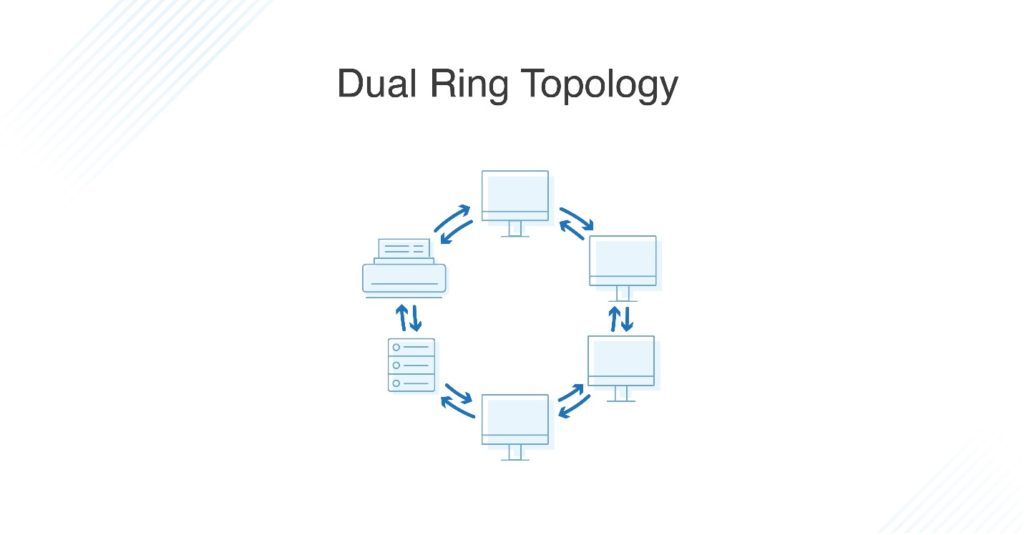
A network with ring topology is half-duplex, meaning data can only move in one direction at a time. Ring topologies can be made full-duplex by adding a second connection between network nodes, creating a dual ring topology.
Advantages of Dual-Ring Topology
The primary advantage of dual ring topology is its efficiency: because each node has two connections on either side, information can be sent both clockwise and counterclockwise along the network. The secondary ring included in a dual-ring topology setup can act as a redundant layer and backup, which helps solve for many of the disadvantages of traditional ring topology. Dual ring topologies offer a little extra security, too: if one ring fails within a node, the other ring is still able to send data.
What Is Tree Topology?
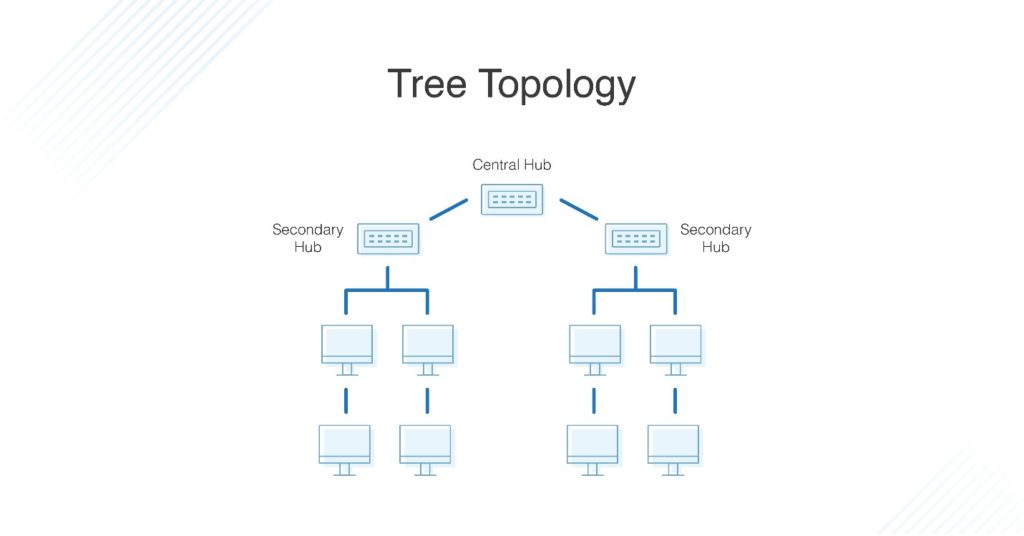
The tree topology structure gets its name from how the central node functions as a sort of trunk for the network, with nodes extending outward in a branch-like fashion. However, where each node in a star topology is directly connected to the central hub, a tree topology has a parent-child hierarchy to how the nodes are connected. Those connected to the central hub are connected linearly to other nodes, so two connected nodes only share one mutual connection. Because the tree topology structure is both extremely flexible and scalable, it’s often used for wide area networks to support many spread-out devices.
Pros of Tree Topology
Combining elements of the star and bus topologies allows for the easy addition of nodes and network expansion. Troubleshooting errors on the network is also a straightforward process, as each of the branches can be individually assessed for performance issues.
Cons of Tree Topology
As with the star topology, the entire network depends on the health of the root node in a tree topology structure. Should the central hub fail, the various node branches will become disconnected, though connectivity within—but not between—branch systems will remain.
Because of the hierarchical complexity and linear structure of the network layout, adding more nodes to a tree topology can quickly make proper management an unwieldy, not to mention costly, experience. Tree topologies are expensive because of the sheer amount of cabling required to connect each device to the next within the hierarchical layout.
What Is Mesh Topology?
A mesh topology is an intricate and elaborate structure of point-to-point connections where the nodes are interconnected. Mesh networks can be full or partial mesh. Partial mesh topologies are mostly interconnected, with a few nodes with only two or three connections, while full-mesh topologies are—surprise!—fully interconnected.
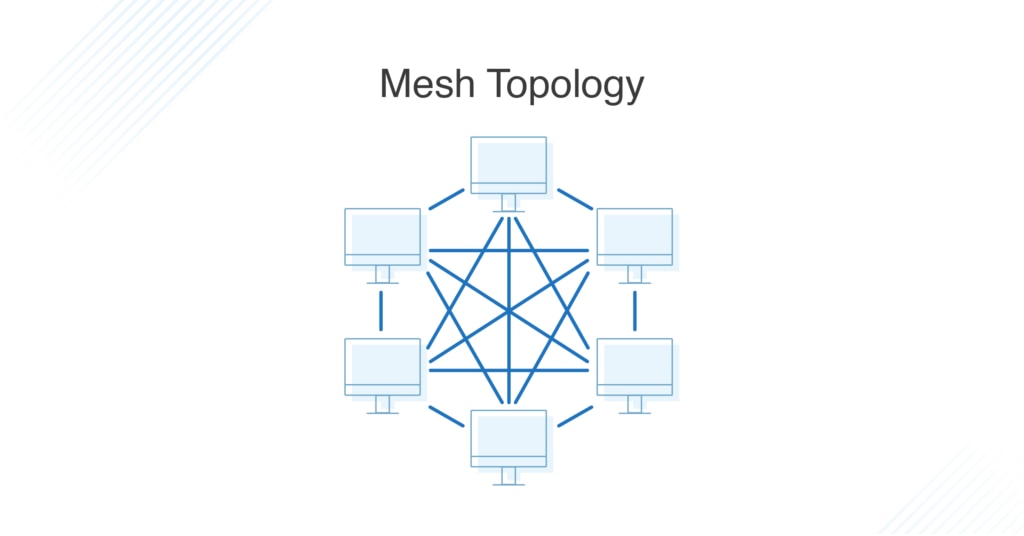
The web-like structure of mesh topologies offers two different methods of data transmission: routing and flooding. When data is routed, the nodes use logic to determine the shortest distance from the source to destination, and when data is flooded, the information is sent to all nodes within the network without the need for routing logic.
Advantages of Mesh Topology
Mesh topologies are reliable and stable, and the complex degree of interconnectivity between nodes makes the network resistant to failure. For instance, no single device going down can bring the network offline.
Disadvantages of Mesh Topology
Mesh topologies are incredibly labor-intensive. Each interconnection between nodes requires a cable and configuration once deployed, so it can also be time-consuming to set up. As with other topology structures, the cost of cabling adds up fast, and to say mesh networks require a lot of cabling is an understatement.
What Is Hybrid Topology?
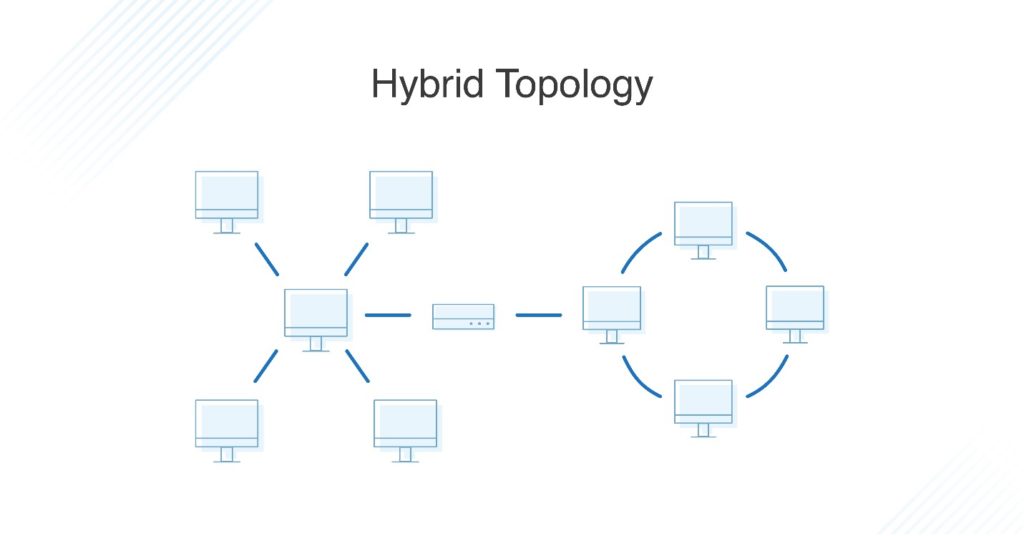
Hybrid topologies combine two or more different topology structures—the tree topology is a good example, integrating the bus and star layouts. Hybrid structures are most commonly found in larger companies where individual departments have personalized network topologies adapted to suit their needs and network usage.
Advantages of Hybrid Topology
The main advantage of hybrid structures is the degree of flexibility they provide, as there are few limitations on the network structure itself that a hybrid setup can’t accommodate.