How can we help?
Welcome to our Support Portal. Search for answers using the search box below.,
Make use of widgets
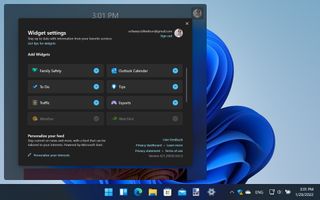
Widgets are mini-apps that are displayed in a small pop-up window when you click the Widgets button in the taskbar – the blue-and-white button next to the Start button. You can customize the widgets you see by clicking the button followed by your profile picture to the upper right. Click the + button next to a widget preview to add it to the display. Back at the main widget panel, unwanted widgets can be removed by clicking the x in their upper right-hand corner.