How can we help?
Welcome to our Support Portal. Search for answers using the search box below.,
Customize the Start menu
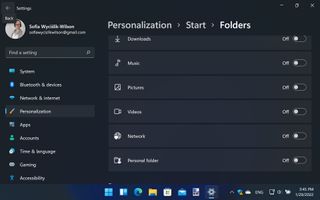
There is a lot of content you can show or hide in the Start menu. Open Settings, head to Personalization > Start, and use the toggles to enable or disable recently added apps, most-used apps, and recent items. If you click Folders, you can add shortcuts to various options – like Settings, Explorer, or specific folders – using the appropriate tog