Unlink OneDrive from your computer
You won’t lose files or data by unlinking OneDrive from your computer. You can always access your files by signing in to OneDrive.com.
Windows 10/11
- Select the OneDrive cloud in your notification area to show the OneDrive pop-up.

- Select the OneDrive Help and Settings icon then select Settings.
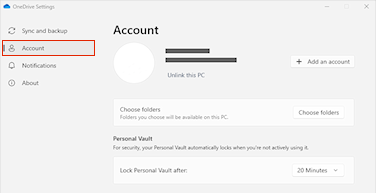
- Go to the Account tab.
- Select Unlink this PC, and then select Unlink account.